A

AI Image Upscaler

AI-powered image upscaling online—batch up to 4x, no installation required.

Listed:Dec 19, 2025
Platform:
Web
iOS
Android
Share:
AI Image Upscaler

AI Image Upscaler Introduction

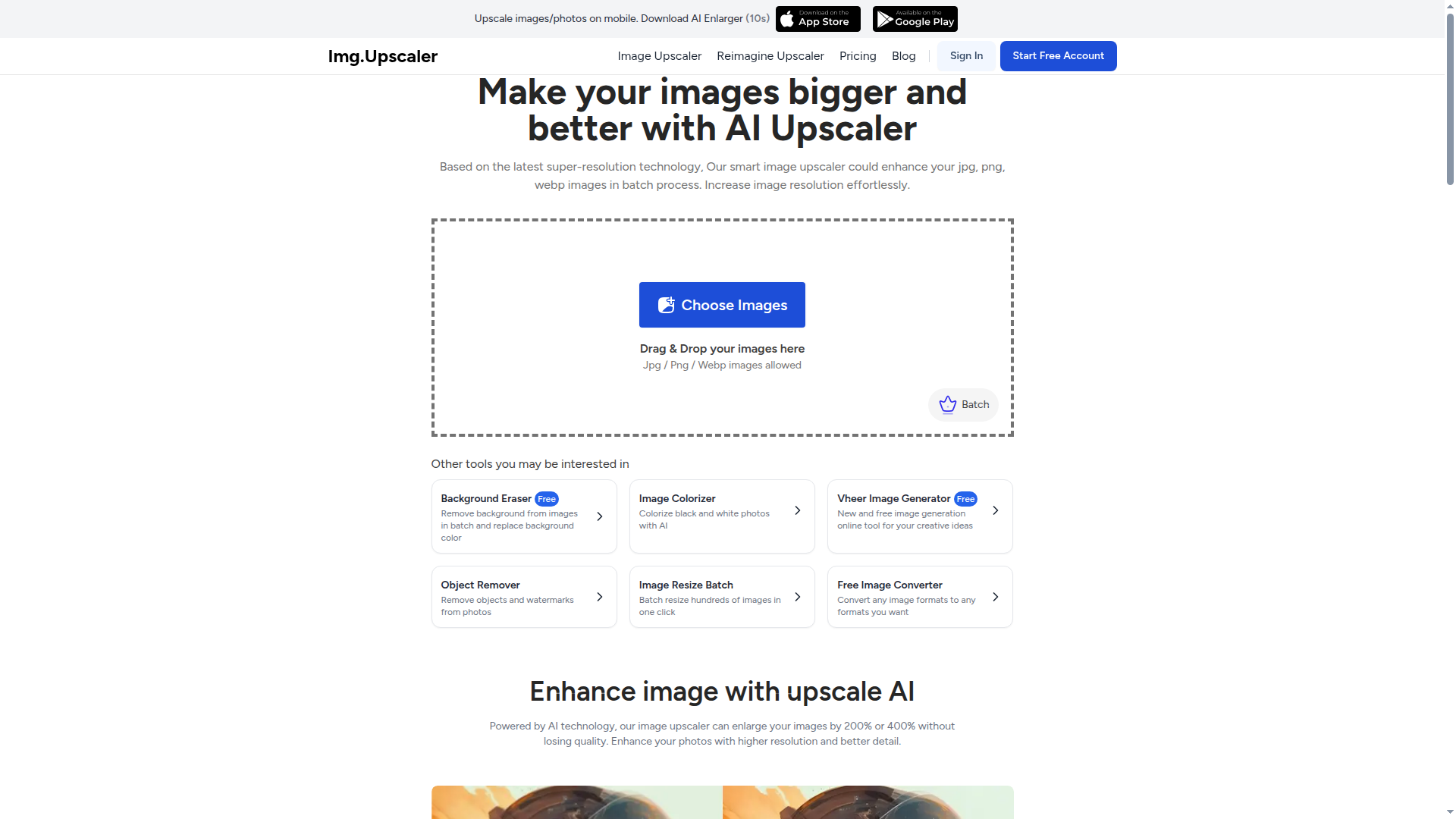
AI Image Upscaler lets you enlarge images online using AI, delivering higher resolution without requiring complex software. The tool supports batch processing and requires no installation, making high-quality upscaling accessible from any device.

Key benefits include:

  • Upscale images up to 4x while preserving details
  • Batch process multiple images to save time
  • Supports JPG, PNG, WEBP, and JPEG formats
  • No downloads or installations required
  • User-friendly interface suitable for both beginners and pros

Perfect for photographers, designers, marketers, and content creators who want quick, high-quality upscaling from any device.


Summary

AI Image Upscaler online tool enlarges images up to 4x with batch processing; freemium model with premium options and mobile apps.

Key Features

  • Upscale images up to 4x their original size
  • Batch processing of multiple images
  • Supports various image formats
  • User-friendly interface
  • No downloads required

Benefits

  • Preserve details while increasing resolution up to 4x
  • Batch processing saves time on large image sets
  • Intuitive UI suitable for beginners and professionals
  • No software installation required; access from any internet-connected device
  • Supports multiple formats (JPEG, PNG, WEBP, etc.)
  • Fast, AI-powered upscaling with reliable results

Use Cases

  • Upgrading product images for e-commerce
  • Enhancing photos for prints or portfolios
  • Restoring old or low-resolution pictures
  • Upscaling artwork for digital use
  • Preparing marketing visuals and social posts
  • Batch processing large image collections
  • Creating high-resolution thumbnails and banners
  • Improving website visuals with sharp images
  • Editing photos for catalogs and brochures
  • Experimenting with creative image upscaling

How to Use AI Image Upscaler

  1. Visit the AI Image Upscaler website.
  2. Upload the image you want to upscale.
  3. Select the upscale factor (up to 4x).
  4. Click the 'Upscale' button and wait for the process to finish.
  5. Download your upscaled image.

Who Will Use AI Image Upscaler

  • Photographers
  • Graphic designers
  • Artists
  • Content creators
  • E-commerce sellers
  • Small business owners
  • Social media managers

Alternative tools

HIX AI

Free AI chat, image, music & video tools in one freemium platform for creators.

GirlfriendGPT

Create your AI dream girl - design the perfect AI girlfriend for you

NanoBanana AI

Create stunning images with Google's AI model — fast, flexible, and easy.

Origin Financial

Origin Financial — your all-in-one budget, investing, and AI planning platform.

Toolsaday AI

Toolsaday AI: Automate tasks with AI to boost productivity and streamline your workflows.

Roboflow

Computer vision tools for developers and enterprises

QuillBot

AI-powered writing assistant for paraphrasing, grammar, and summarization—across web and browser extensions.

Phrasly

Write naturally, without fear of detection.

Free
OpenRouter

Harness the power of multiple AI models in one place.

LOVO AI Voice Generator

Turn text into natural-sounding speech with 500+ voices, live cloning, and video-ready outputs.