Image Colorizer logo

Image Colorizer

Colorize and Restore Old Photos in batches with AI-powered accuracy

Listed:Dec 19, 2025
Platform:
Web
Share:
Image Colorizer

Image Colorizer Introduction

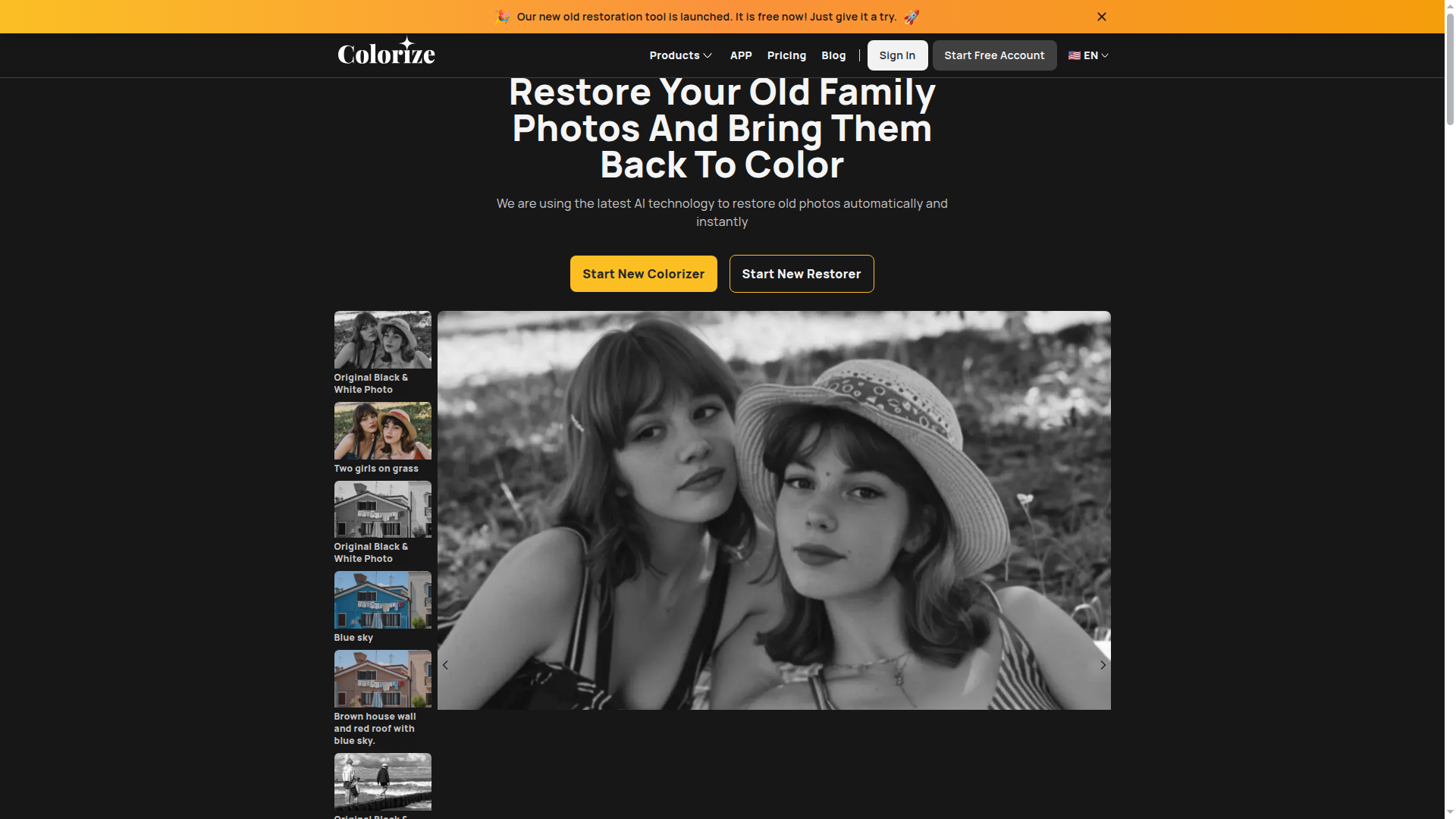
Image Colorizer is an online tool that colorizes black-and-white photos and restores damaged images using AI-driven technology. It supports batch processing to handle multiple images quickly, delivering vivid colorization and enhanced image quality while repairing scratches and removing unwanted objects.

Key benefits include:

  • Batch processing for multiple images
  • Colorization of black and white images
  • Restoration of damaged photos
  • Enhancement of photo quality
  • Retouching of old portraits
  • Removal of unwanted objects
  • Repairs scratches and blemishes
  • AI-driven technologies for image improvements

Perfect for photographers, historians, archivists, genealogists, and individuals looking to revive cherished memories.


Summary

Image Colorizer offers batch colorization and restoration of old black-and-white photos using AI, delivering vibrant, restored images.

Key Features

  • Batch processing for multiple images
  • Colorization of black and white images
  • Restoration of damaged photos
  • Enhancement of photo quality
  • Retouching of old portraits
  • Removal of unwanted objects
  • Repairs scratches and blemishes
  • AI-driven technologies for image improvements

Benefits

  • Brings old memories to life
  • User-friendly interface
  • Fast processing with AI technology
  • Batch processing for efficiency
  • Repairs scratches and blemishes
  • Removes unwanted objects from photos
  • Affordable pricing options

Use Cases

  • Colorizing family heirlooms
  • Enhancing historical documents
  • Restoring old wedding photos
  • Reviving vintage portraits
  • Digitizing archival photo collections
  • Preparing photos for exhibitions
  • Genealogy research supports
  • Museum education materials
  • Personal photo restoration projects
  • Social media content revival

How to Use Image Colorizer

  1. Visit the Image Colorizer website.
  2. Upload your black and white photo.
  3. Select the desired processing options.
  4. Click the colorize button and wait for the process to finish.
  5. Download the colorized image.

Who Will Use Image Colorizer

  • Photographers
  • Historians
  • Individuals preserving family memories
  • Graphic designers
  • Museums and archival staff
  • Genealogists
  • Social media content creators
  • Archivists

Alternative tools

HIX AI

Free AI chat, image, music & video tools in one freemium platform for creators.

GirlfriendGPT

Create your AI dream girl - design the perfect AI girlfriend for you

NanoBanana AI

Create stunning images with Google's AI model — fast, flexible, and easy.

Motion

The AI-powered SuperApp for Work – AI-driven project, task, calendar, and meeting management in one.

Toolsaday AI

Toolsaday AI: Automate tasks with AI to boost productivity and streamline your workflows.

Roboflow

Computer vision tools for developers and enterprises

Revisely

AI-powered feedback and collaborative learning resources for educators and students.

QuillBot

AI-powered writing assistant for paraphrasing, grammar, and summarization—across web and browser extensions.

Phrasly

Write naturally, without fear of detection.

Free
OpenRouter

Harness the power of multiple AI models in one place.