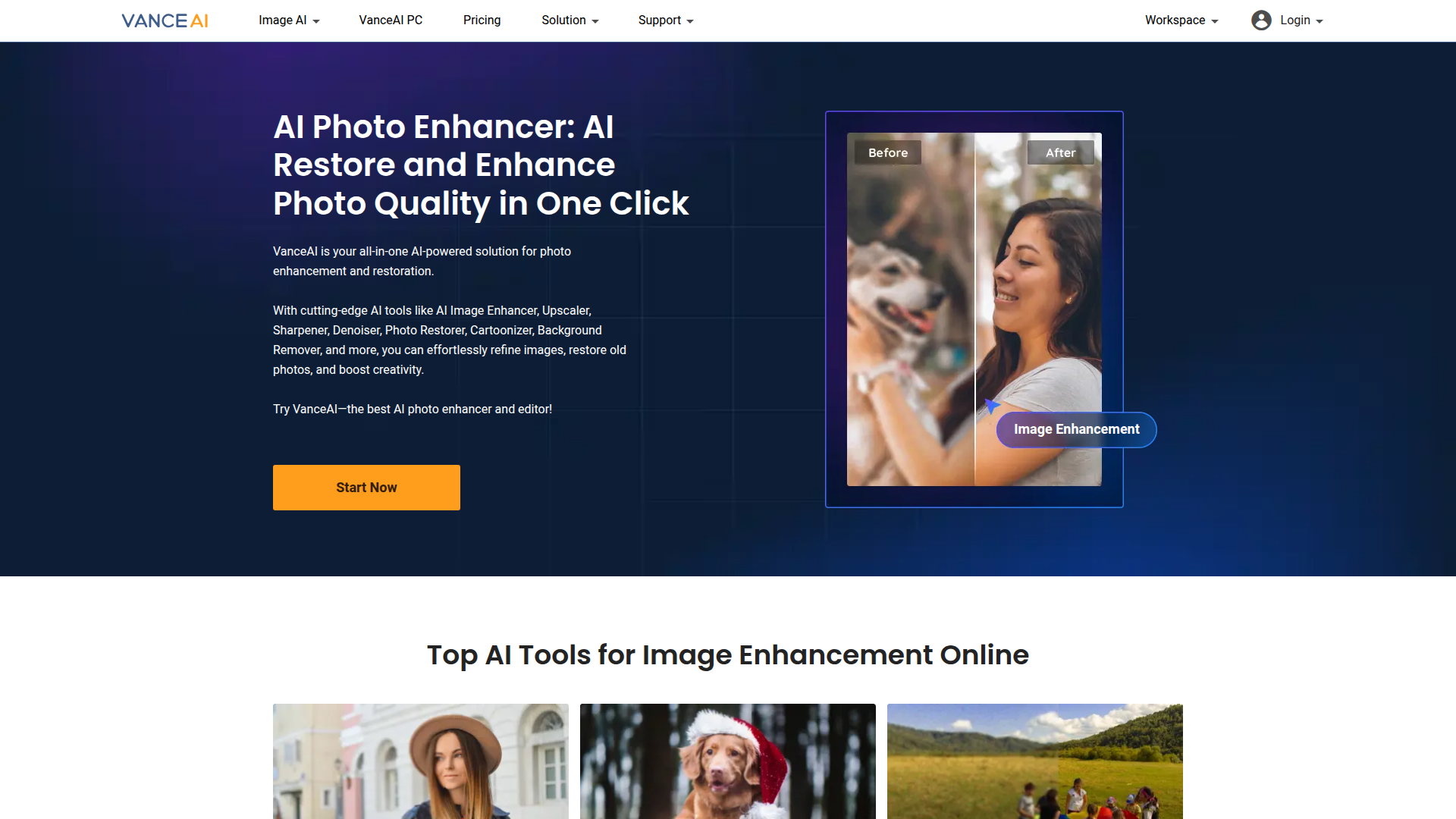
AI-powered photo enhancement, upscaling, denoising, and editing to elevate images fast.

Listed:Dec 20, 2025
Platform:
Web
iOS
Android
Share:
VanceAI

VanceAI Introduction

VanceAI provides AI-powered tools for image enhancement and editing, enabling users to improve photo quality with automated workflows. The platform simplifies complex edits by applying advanced AI to common image processing tasks.

Key benefits include:

  • AI Image Upscaler: Enlarges images with AI while preserving sharpness and natural detail.
  • AI Image Sharper: Enhances overall clarity and edge definition for a crisper final image.
  • AI Image Denoiser: Reduces noise in low-light or high-ISO photos while preserving texture.
  • AI Background Remover: Precisely isolates subjects from backgrounds for clean composites.
  • AI Photo Restorer: Revives faded or damaged photos with color and detail recovery.

Perfect for photographers, designers, content creators, and social media managers who want fast, high-quality image processing without requiring extensive editing skills.


Summary

VanceAI offers AI-driven tools for image enhancement, upscaling, denoising, background removal, and more to boost photo quality quickly and efficiently.

Key Features

  • AI Image Upscaler – upscale images with high fidelity while preserving detail
  • AI Image Sharper – improve clarity and edge definition across subjects
  • AI Image Denoiser – reduce noise while maintaining texture and realism
  • AI Background Remover – isolate subjects for clean composites
  • AI Photo Restorer – revive old or faded photos with color and detail recovery
  • AI Image Cartoonizer – stylize photos with AI-driven cartoon effects

Benefits

  • Improves image quality with automated AI processing
  • Saves time on manual photo editing
  • User-friendly workflow across multiple tools
  • Wide range of tasks from upscaling to restoration
  • Supports fast production of high-quality visuals

Use Cases

  • Photo restoration
  • Image enhancement for social media
  • Editing images for e-commerce
  • Creating high-quality blog visuals
  • Preparing marketing campaign visuals
  • Preparing product photos with clean backgrounds
  • Enhancing travel and lifestyle photography
  • Improving image quality for print materials
  • Preparing thumbnails and header images
  • Batch editing for content libraries

How to Use VanceAI

  1. Visit the VanceAI website
  2. Choose the desired AI tool
  3. Upload your image
  4. Customize settings (if applicable)
  5. Download the enhanced image

Who Will Use VanceAI

  • Photographers
  • Designers
  • Content Creators
  • Social Media Managers
  • Marketing Teams
  • E-commerce Merchants
  • Video Editors
  • Bloggers

Alternative tools

HIX AI

Free AI chat, image, music & video tools in one freemium platform for creators.

GirlfriendGPT

Create your AI dream girl - design the perfect AI girlfriend for you

NanoBanana AI

Create stunning images with Google's AI model — fast, flexible, and easy.

Origin Financial

Origin Financial — your all-in-one budget, investing, and AI planning platform.

Toolsaday AI

Toolsaday AI: Automate tasks with AI to boost productivity and streamline your workflows.

Roboflow

Computer vision tools for developers and enterprises

QuillBot

AI-powered writing assistant for paraphrasing, grammar, and summarization—across web and browser extensions.

Phrasly

Write naturally, without fear of detection.

Free
OpenRouter

Harness the power of multiple AI models in one place.

LOVO AI Voice Generator

Turn text into natural-sounding speech with 500+ voices, live cloning, and video-ready outputs.